
Claude Code can build prospect lists for you, but only if it can reach real company data. This guide connects AgentData’s MCP server in one command, then walks four prompts that go from “who should I target” to a CSV you can load into your sending tool. Everything here runs in a 7-day free trial of Pro with no card: 1,000 company look-ups a day, seven tools, no credits. Pro, at $99 a month, also has full customer lists for 10 technologies. Setup takes about two minutes and the whole workflow runs in under five. Every command below is copy-paste runnable as of 20 September 2026.
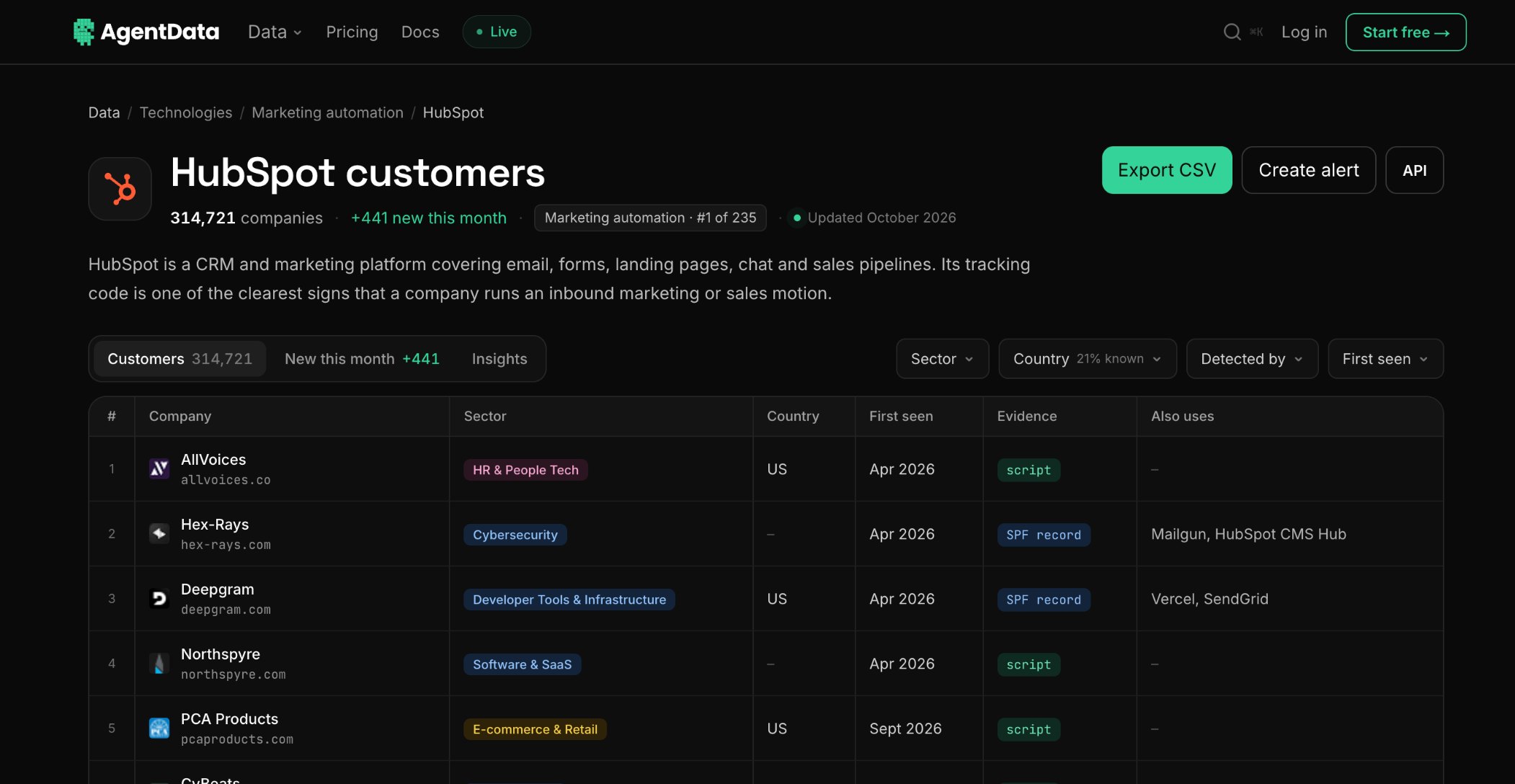
Why do this in Claude Code at all
You can build a prospect list in a web app. The reason to do it in Claude Code is that the list is rarely the end of the job. You want to filter it, cross-reference it against your CRM, drop the ones you have already contacted, score the rest, write the first line of an email for each, and put the result somewhere. That is five tools and a spreadsheet, or it is one terminal session where the model does each step and you correct it in plain English.
The part that is usually missing is data. Claude Code can reason about companies it knows, but it cannot tell you which companies added HubSpot last month, and it will guess if you let it. An MCP server fixes that: it gives the model a set of functions that return real records, so “find me 200 Shopify stores in the UK” becomes a query rather than a hallucination.
This guide uses AgentData’s MCP server because it is ours and its 7-day free trial covers everything here. Disclosure: AgentData is our product. The workflow works with any MCP data server; Apollo, Hunter, Lusha and ZoomInfo all ship one, and we compare them honestly in the MCP server roundup. What is specific to ours is the evidence and first-seen date behind every technology, which is what most of the prompts below depend on.
What you need
- Claude Code installed. If you do not have it:
npm install -g @anthropic-ai/claude-code - An AgentData account. Start a 7-day free trial at agentdata.run (no card needed), then copy your key from Settings.
- That is it. No other tools and nothing to configure. After the trial, Pro is $99 a month.
Step 1: Connect the MCP server
One command. Hosted, so there is nothing to install:
claude mcp add agentdata --transport http https://mcp.agentdata.run/mcp \
  --header "Authorization: Bearer YOUR_API_KEY"
Prefer to run it locally instead:
claude mcp add agentdata -- npx agentdata-mcp-server --api-key YOUR_API_KEYConfirm it is connected:
claude mcp listYou should see agentdata listed with seven tools: lookup_company, search_companies, find_people, get_person, get_technologies, get_signals and check_usage.
Start a session in whatever directory you want the output to land in:
claudeStep 2: Find companies by what they run
The first prompt. Plain English, no syntax to learn:
PromptFind Shopify stores in the United Kingdom. Show me the domain, company name and sector for the first 25.
Claude calls search_companies with tech: "shopify" and country: "GB", and returns one row per company.
search_companiesdomaincompany_namesectorcountrytechnologies[]last_seenAsk for the columns you want and Claude formats the table; the underlying record carries all of these.
One thing worth knowing about that query: the technology filter uses our slug, not the brand name as you would write it. Shopify is shopify, but some tools are stored under a more specific name: Intercom’s help centre is intercom-articles, for instance. If a query comes back thinner than you expect, ask Claude to check the slug first:
PromptBefore you search, use get_technologies to show me the exact slug and company count for Shopify, Klaviyo and Webflow.
Step 3: Get the people
Now attach humans to the companies:
PromptFor each of those domains, find the founder or head of marketing with a verified email. Only include people where has_email is true and email confidence is high.
That is find_people with domain, seniority or department, has_email: true and email_confidence: "high".
find_peoplefull_nametitlesenioritydepartmentemailemail_confidenceverification_statusverified_atlinkedin_urlEvery email we return carries a verification_status, a confidence score from 0 to 100 and a verified_at date, so you can tell Claude to drop anything stale:
PromptDrop anyone whose email was verified more than 90 days ago.
Step 4: Qualify with new-customer signals
This is where the start dates pay off. We record when a company starts using a technology, so you can prospect on change rather than on state:
PromptUse get_signals to show me which of these companies added a live chat or helpdesk tool in the last 90 days.
get_signalsdomaintechnologychangedetected_atchange is added: we report companies that start using a tool (removals are not reported yet). Volume varies by category, and a tight geographic filter will thin it.
Why it matters: a company that added a tool last month has just signalled what it cares about, and is often mid-project and open to a conversation. That is a better opener than “I noticed you use X”.
Step 5: Export it
PromptWrite all of that to prospects.csv with columns: domain, company, sector, contact name, title, email, confidence, and any signal from the last 90 days.
Claude writes the file in your working directory. From there it goes into Instantly, Smartlead, Lemlist, HubSpot or wherever you send from. We do not send email, so this is the handoff point.
domain,company,sector,contact_name,title,email,email_confidence,signal_90dThe header Claude writes from that prompt, one row per contact beneath it.
Make it repeatable with CLAUDE.md
Do this once and every future session in that directory starts with the rules already loaded. Drop this in CLAUDE.md:
# Prospecting rules

Data source: the `agentdata` MCP server. Never invent company data, emails or
technology detections. If a tool returns nothing, say so; do not fill the gap
from memory.

## Our ICP
- E-commerce and B2B SaaS
- UK, Ireland, Netherlands, Germany
- Must have a verified email at director level or above

## Defaults
- Always set has_email: true and email_confidence: "high" on find_people
- Check get_technologies for the exact slug before filtering by tech
- Exclude anything already in ./crm-export.csv (match on domain)
- Write output to ./prospects/YYYY-MM-DD.csv

## Never
- Never guess an email pattern; only use addresses the API returned
- Never include a person without a title
That “never invent” instruction matters more than it looks. Without it, a model that gets an empty result will sometimes fill the gap with a plausible-looking company. With the MCP server connected and that rule in place, it tells you the query returned nothing.
What the data actually covers
This is where most tool tutorials go quiet, so here are the real numbers as of 20 September 2026.
We detect technology on far more sites than we hold full profiles for. Shopify, for example, is detected on 183,003 sites, but 5,940 of those have a full profile with sector and contacts attached. Detection is cheap; enrichment is the expensive part, and it runs continuously.
What that means in practice:
So: prospect on the mid-volume tools, research on the niche ones, and do not promise your boss 183,000 Shopify leads. If a company has not been profiled yet you can ask for it (we crawl on request), but the honest framing is that the enriched pool is the number that matters.
Counts read from agentdata.run/tech/directory and /tech/shopify on 20 September 2026. They move daily.
The seven tools, in full
search_companieslookup_companyfind_peopleget_personget_technologiesget_signalscheck_usageDaily allowance: 50 company look-ups without an account, 1,000 on Pro and 5,000 on Business. A look-up returns everything we hold for that company.
What this can’t do
Worth saying plainly before you build a workflow on it.
No phone numbers. We return verified work emails and people, not mobiles or direct dials. If you call, you need a contact vendor alongside. Lusha and Apollo both do this well, and we compare them honestly in our Lusha alternatives guide and Apollo alternatives guide.
No sending. No sequences, no dialer, no inbox. The CSV is the handoff.
Coverage skews to sites with real content. A two-page brochure site gets a thin profile. Our classification comes from reading the site, so companies that say little about themselves are harder to classify.
Not every brand name is a slug. Covered above; run get_technologies first when a result looks thin.
Doing the same thing without Claude Code
ChatGPT
Open Plugins in the sidebar, search AgentData and choose Install plugin. No sign-in.
Claude Desktop
Same server, added through Settings → Connectors, or the same claude mcp add if you have the CLI.
Cursor
Add the server to .cursor/mcp.json:
{
  "mcpServers": {
    "agentdata": {
      "transport": "http",
      "url": "https://mcp.agentdata.run/mcp",
      "headers": { "Authorization": "Bearer YOUR_API_KEY" }
    }
  }
}
No MCP client at all
The REST API is the same data.
curl -H "Authorization: Bearer $KEY" \
  "https://agentdata.run/api/v1/companies?tech=shopify&country=GB"
Full endpoint list in the docs.
Related reading
- How to find companies using a specific technology, with the evidence for each
- The Free B2B Company Data API for AI Agents (2026)
- Add company data to your own agent in LangChain, the AI SDK or CrewAI
- Five prompts for researching a company in Claude before a sales call
- Free Apollo Alternative (2026)
- 6 Best MoltSets Alternatives in 2026
- Technology directory · New-customer signals · API docs
Sources: agentdata.run/docs (endpoints, rate limits); agentdata-mcp-server README and source (tool names and parameters); agentdata.run/tech/directory and /tech/shopify (counts, read 20 September 2026); Claude Code documentation for claude mcp add.