
AgentData gives any AI agent free company data: single look-ups need no API key or account, up to 50 a day. In Claude, Cursor or ChatGPT it is one setting; in LangChain, the Vercel AI SDK or CrewAI it is a few lines, shown below and tested. We looked up linear.app and asked Claude for a sales-call brief from that one result. It came back with what Linear does, which of its tools rest on strong evidence and which on weak, how fresh the data is, and what it could not find.
What it looks like: a sales-call brief from one question
We looked linear.app up with AgentData’s lookup_company tool, then gave Claude (Opus 5.5) this question and that one result, nothing else. Its full reply is below, unedited. With the connector added, Claude makes the lookup itself.
PromptI have a sales call with linear.app tomorrow. Brief me in five bullets: what they do, the tools they run that matter for the conversation, and anything you couldn’t find.
Two things make that answer worth trusting. It says what it could not find (headcount, headquarters, funding) instead of filling the gaps. And it separates strong evidence from weak: tools found in a company’s DNS records come from settings the company made itself, while a single page scan can miss or misread a script. The company data behind it is on Linear’s public company page, which anyone can open.
Need every company like this, not one at a time? AgentData’s customer lists show every company using a product, such as the companies using HubSpot, with the proof for each and the ones that just started. The first 25 companies of any list are free; Pro adds full lists for 10 technologies from $99 a month. Try Pro free for 7 days, no card needed.
Disclosure: AgentData is our product. We use it here because an agent can use it with no account and no key. The code was run on the versions named below.
Four things you can build with company data in an agent
1. Prep for a sales or partner call
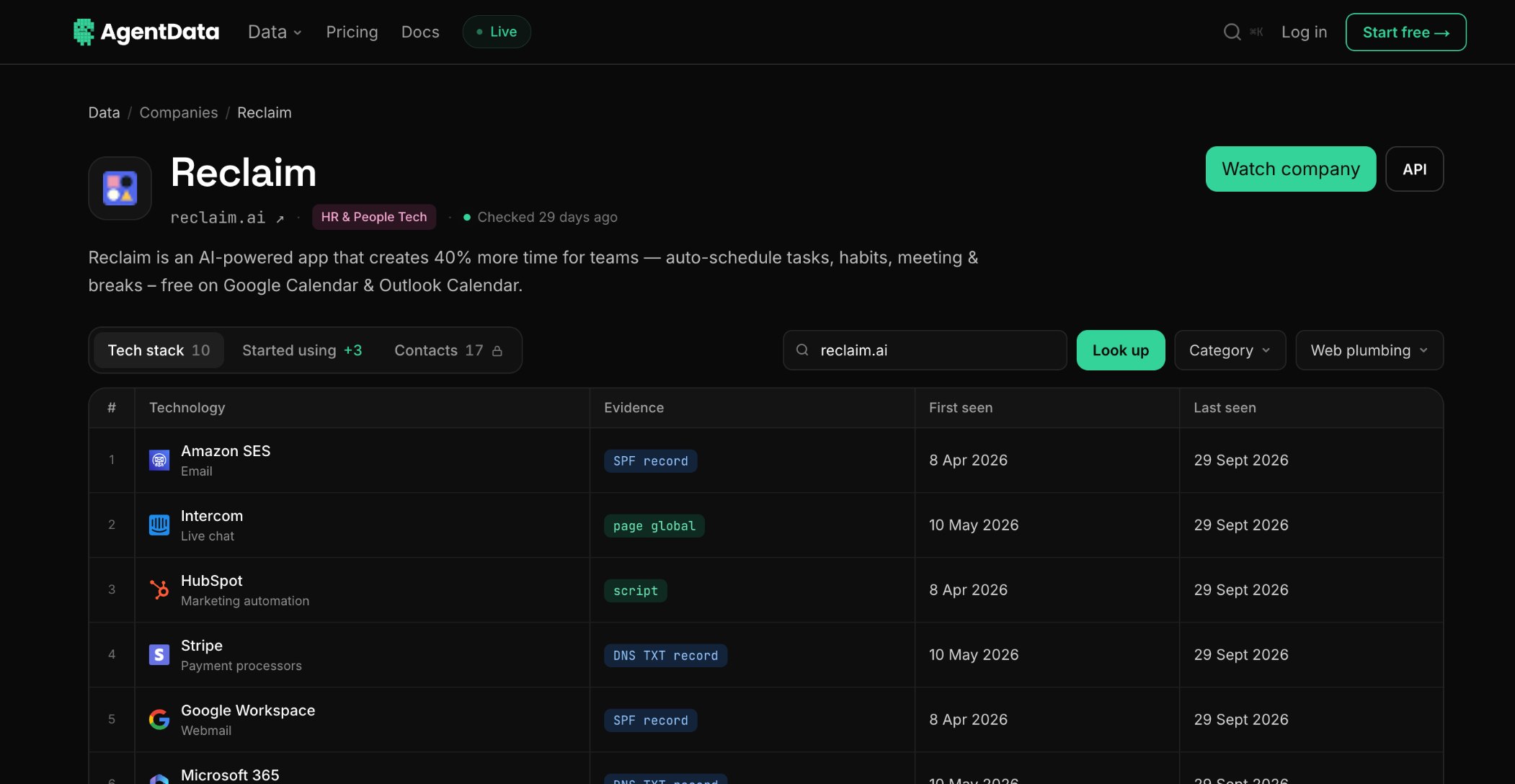
The example above. Ask about any company by its website address and get what it does, the tools it runs and how fresh the information is. If we have never seen the company, it is looked up on the spot, usually within a few minutes. For ready-made prompts, see five tested prompts for researching a company in Claude.
2. Find companies by the tools they use
Sell an Intercom integration, or a cheaper alternative to it? Ask for the companies that run it. (We use the same data to find Intercom users for Oneway, our own customer communication tool.)
PromptList the companies that use Intercom, with their sector.
Behind that question the agent calls get_technologies for Intercom. Here are five of the B2B companies on the first page of what came back:
| Company | Sector | Size |
|---|---|---|
| Joblogic (joblogic.com) | Software & SaaS | Small |
| RaveCapture (ravecapture.com) | Marketing & Sales Tech | Micro |
| RentRedi (rentredi.com) | Software & SaaS | Micro |
| DreamFactory (dreamfactory.com) | Developer Tools & Infrastructure | Micro |
| Sales CRM by NetHunt (nethunt.com) | Software & SaaS | Micro |
Real tool output, called directly on 17 October 2026. The tool returns 20 companies a page; ask for the next page to keep going.
3. Catch companies the week they add a tool
A company that has just added a tool is often mid-project and open to a conversation. AgentData records each new customer as it re-crawls sites.
PromptWhich companies added Intercom in the last week?
The agent calls get_signals with Intercom and seven days. It found three:
| Company | Change | Seen |
|---|---|---|
| LegitGrails Academy (academy.legitgrails.com) | Added Intercom | 14 Oct |
| LemonadeLXP (lemonadelxp.com) | Added Intercom | 13 Oct |
| Capturely (theheadshotslabs.com) | Added Intercom | 13 Oct |
Real tool output, called directly on 17 October 2026. New customers are recorded as sites are re-crawled, so a short window can return few results. Ask for one tool and one week at a time.
4. Fill in records inside your own app
A CRM, a lead form or a support inbox gets a new email address; your agent looks up the domain and adds what the company does and what it runs before anyone reads it. That is the code route, further down.
The no-code route: connect it to Claude, Cursor or ChatGPT
If your agent is an assistant you already use, you do not need to write anything. Add AgentData once and ask questions like the ones above.
- Claude (web, desktop and mobile): Customize, then Connectors, then Add custom connector. Paste
https://mcp.agentdata.run/mcpand leave sign-in off. - ChatGPT: open Plugins in the sidebar, search for AgentData and install it. No sign-in.
- Cursor, VS Code and others: add the same address as an MCP server. The MCP setup guide has the exact settings for each.
- Claude Code: one command in your terminal.
claude mcp add --transport http agentdata https://mcp.agentdata.run/mcpWithout a key, the assistant gets six read-only tools: look up a company, search companies, find people (no email addresses without a key), list the companies using a technology, list the companies that just added a tool, and check how much allowance is left.
Free company enrichment in your own agent: LangChain, Vercel AI SDK or CrewAI
You have two choices, and both are free. Connect the MCP server and your agent gets all six tools in a few lines. Or write one small lookup tool and decide exactly what the model reads. For linear.app the full profile is about 5,500 characters, and the tool below hands the model about 400 bytes with the parts most questions need, which keeps long research sessions cheap and focused.
LangChain (Python): a lookup tool
The tool takes a website address, calls AgentData with no key, and returns the company’s description, sector and the tools detected with high or medium confidence. Two answers are not errors: a 404 means the company is being looked up now (the tool passes on when to ask again), and a 429 means the free allowance is used up for now.
pip install "langchain==1.4.6" "langchain-anthropic==1.7.6" requestsimport requests
from langchain.tools import tool
from langchain.agents import create_agent
API = "https://agentdata.run/api/v1/lookup" # no key needed for company data
@tool
def lookup_company(domain: str) -> dict:
"""Look up a company by its website domain, for example "linear.app".
Returns what the company does, its sector and the tools it runs."""
r = requests.get(API, params={"domain": domain}, timeout=30)
if r.status_code == 404:
return {"status": "queued", "retry_after_seconds": r.json().get("retry_after_seconds")}
if r.status_code == 429:
return {"status": "rate_limited", "retry_after_seconds": r.headers.get("Retry-After")}
r.raise_for_status()
data = r.json()
c = data["company"]
return {
"domain": data["domain"],
"name": c.get("name"),
"description": c.get("description"),
"sector": c.get("sector"),
"vertical": c.get("vertical"),
"business_model": c.get("business_model"),
"founded_year": c.get("founded_year"),
"technologies": [t["name"] for t in data["technologies"]
if t["confidence"] in ("high", "medium")],
"profile_updated": (c.get("profile_updated") or "")[:10],
}
agent = create_agent("anthropic:claude-sonnet-5-5", tools=[lookup_company])
result = agent.invoke({"messages": [{"role": "user",
"content": "What does linear.app use for email and payments?"}]})
print(result["messages"][-1].content)Set ANTHROPIC_API_KEY, or your model provider’s key, to run the agent. The company data itself needs no key.
To enrich a list (use case 4), call the tool directly; no model is needed. Without a key you can do 200 different companies a day.
for domain in ["linear.app", "vercel.com", "notion.so"]:
    print(lookup_company.invoke({"domain": domain}))
The model name is LangChain’s provider:model form; any model that can call tools works. create_agent returns a LangGraph graph, so it slots into an existing LangGraph app.
LangChain: all six tools through MCP
pip install "langchain-mcp-adapters==0.3.2"import asyncio
from langchain.agents import create_agent
from langchain_mcp_adapters.client import MultiServerMCPClient
async def main():
client = MultiServerMCPClient({
"agentdata": {"transport": "streamable_http", "url": "https://mcp.agentdata.run/mcp"},
})
tools = await client.get_tools() # no key: six read-only tools
agent = create_agent("anthropic:claude-sonnet-5-5", tools=tools)
result = await agent.ainvoke({"messages": [{"role": "user",
"content": "Which tools does linear.app run, and when was each one last seen?"}]})
print(result["messages"][-1].content)
asyncio.run(main())Vercel AI SDK (TypeScript)
Through MCP, the AI SDK reads the tools from the server and hands them to the model. Needs Node 22 or later.
npm i ai@7.0.142 @ai-sdk/anthropic@4.0.81 @ai-sdk/mcp@2.0.77 zod@4.6.7import { generateText, stepCountIs } from "ai";
import { anthropic } from "@ai-sdk/anthropic";
import { createMCPClient } from "@ai-sdk/mcp";
const mcp = await createMCPClient({
transport: { type: "http", url: "https://mcp.agentdata.run/mcp" },
});
try {
const { text } = await generateText({
model: anthropic("claude-sonnet-5-5"),
tools: await mcp.tools(), // no key: six read-only tools
stopWhen: stepCountIs(5),
prompt: "Which tools does linear.app run, and when was each one last seen?",
});
console.log(text);
} finally {
await mcp.close();
}To control the payload instead, port the LangChain tool above with the AI SDK’s tool() helper and a Zod schema; the fields are the same.
CrewAI (Python)
Give an agent the MCP server and it can use all six tools. To use the hand-written tool instead, take the LangChain function above, import tool from crewai.tools, and give the decorator a name: @tool("Look up a company").
pip install "crewai[anthropic]==1.15.28"from crewai import Agent
from crewai.mcp import MCPServerHTTP
researcher = Agent(
role="Account researcher",
goal="Brief a salesperson on a company before a first call",
backstory="You check facts with tools and never guess.",
mcps=[MCPServerHTTP(url="https://mcp.agentdata.run/mcp")], # no key: six read-only tools
llm="anthropic/claude-sonnet-5-5",
)Tested on 16 October 2026 with langchain 1.4.6, ai 7.0.142 and crewai 1.15.28. Pin these versions: they release often.
Before you ship: limits, keys and new companies
| No key or account | Pro | Business | |
|---|---|---|---|
| Company look-ups a day | Single look-ups, up to 50 | 1,000 | 5,000 |
| Customer lists | First 25 companies | 10 technologies | Unlimited |
| Price | Free | $99 a month | $299 a month |
| Free trial | 7 days, no card | 7 days, no card |
From AgentData’s published limits and pricing, read on 17 October 2026. One allowance covers the website, the API and the MCP server.
- Use an API key on a server. Without one, the allowance is per IP address, so every user of a hosted agent shares it. Send the key as a header from your code or your MCP client:
Authorization: Bearer YOUR_FREE_KEY. - New companies take a few minutes. If a company has never been looked up, the first request queues it and says when to ask again (about an hour when the queue is busy). Nothing is charged.
- When the allowance runs out, the answer says when it resets. Have the agent wait or move on rather than retry in a loop.
- Cache what worked. Keep successful lookups for a day so repeat questions cost nothing; never cache a “queued” answer.
What company data can and can’t tell an agent
The catch: AgentData reads companies’ own websites, DNS records and HTTP headers. It cannot see tools that leave no trace in any of them, such as a CRM used only by the sales team. Fields it could not find come back empty, not guessed: Linear’s headquarters were empty, and country is known for only a minority of the 30 million+ companies profiled. Tell your agent to say “not known” rather than infer.
How much of each field is filled in, and how fresh it is, is published hourly on the live data page.
How we checked this
The tool calls above were made to the live AgentData server on 17 October 2026, with no key. For the call brief, we gave Claude (Opus 5.5) the question and the tool’s full result, and its reply is shown unedited. Every code block was run on 16 October 2026 at the versions above, against a recorded copy of the same live responses and with a scripted model in place of a paid one, which proves the wiring rather than any particular model’s wording.
Related reading
- How to find companies using a specific technology, with the evidence for each
- What the free company data API includes, and how it compares
- The MCP servers for sales and B2B data, scored
- Sales prospecting in Claude Code with free company data
Sources, read on 17 October 2026: AgentData’s limits from its API docs; coverage from the live data page; package versions from npm and PyPI on 16 October 2026; Anthropic’s model names from its models overview.